Netoum
The company behind Corex: product design, accessible web apps, and open-source tooling.

To enable Corex Accessibility, see the documentation .
Accessible, unstyled Phoenix components with a full server-and-client API, powered by Zag.js state machines.
| Time | Open items |
|---|---|
|
Toggle the accordion to watch events land. |
43+
Components
Works in Controller and Live View
100+
API & Events
From the Server and the Client
100%
Open Source
Open Source and free to use. MIT License
A11y
Built in
Keyboard, focus and ARIA from Zag.js machines.
Powered by the stack you already use







Authoring
Same Zag machine. Items, manual slots, or custom slots. Pick the shape that fits your markup.
Declarative items list with a shared indicator slot.
Author each trigger and content by value. No items list required.
Own the trigger, content, and indicator with :let={item}. Stack your own chrome.
In production
Sites and products shipping Corex in the wild.
The company behind Corex: product design, accessible web apps, and open-source tooling.
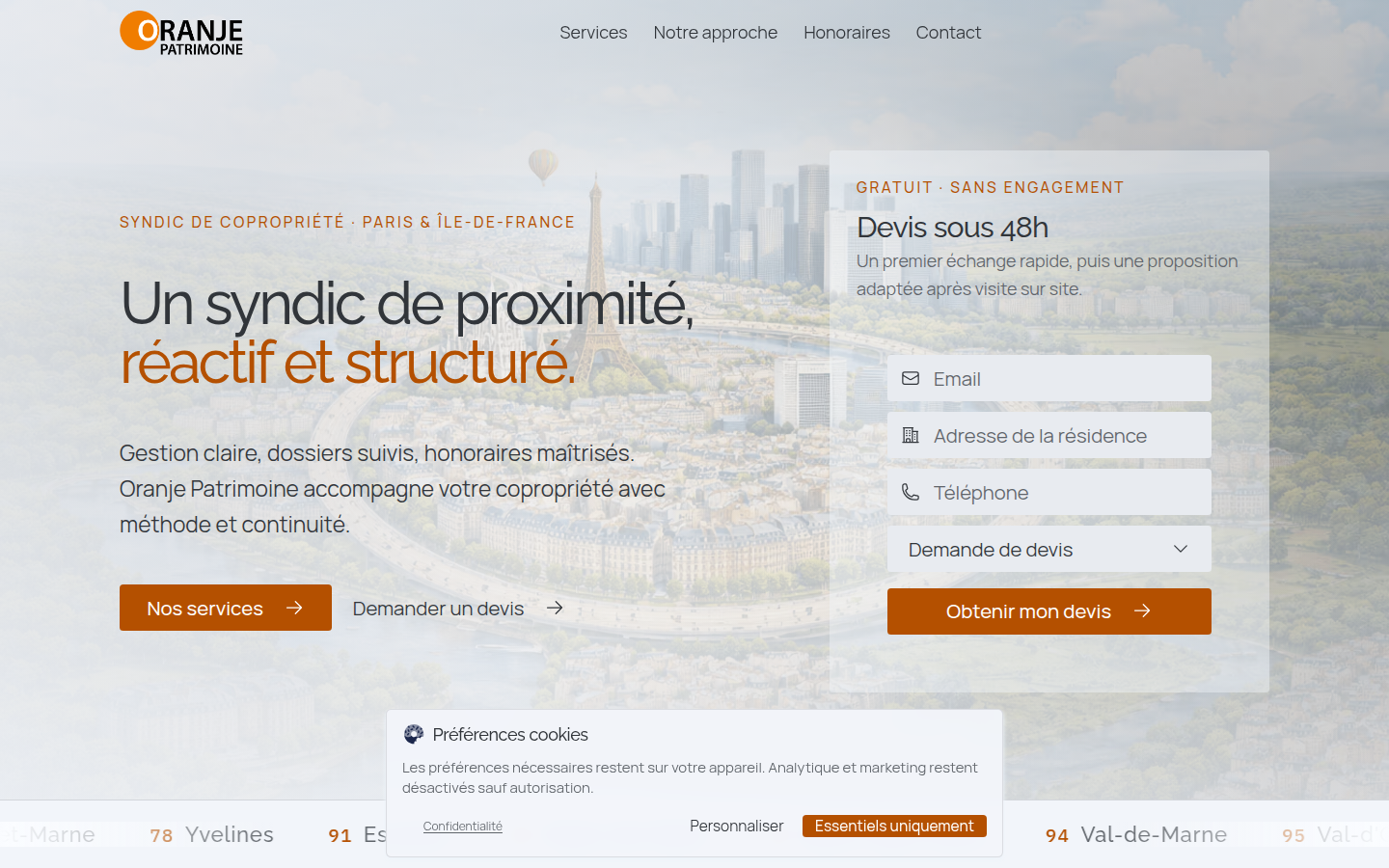
Paris property-management site built with Corex, a CMS admin, and a contact form.
Get started
Compose your generator command, then copy from the terminal.
Phoenix scaffolds a LiveView server app. Tableau scaffolds a static site.
Project folder name. Use lowercase letters, numbers, and underscores.
Included unless you turn them off. Deselecting adds the matching --no-* flag.
Extra capabilities you opt into. Each selection appends its --flag to the command.
One-time Mix archive install so the generators are available on your machine.
    mix archive.install hex phx_new
mix archive.install hex corex_new
Live preview of mix corex.new / mix corex.tableau.new from your selections. Copy and paste into a terminal.
mix corex.new my_app